Administration
Use the Administration left navigation menu in Secure Client Cloud Management to view your account information, API clients, manage existing users in your Secure Client Cloud Management organization, and invite users to your organization.
Note: Only users with an Administrator role have access to API Clients and Users pages.
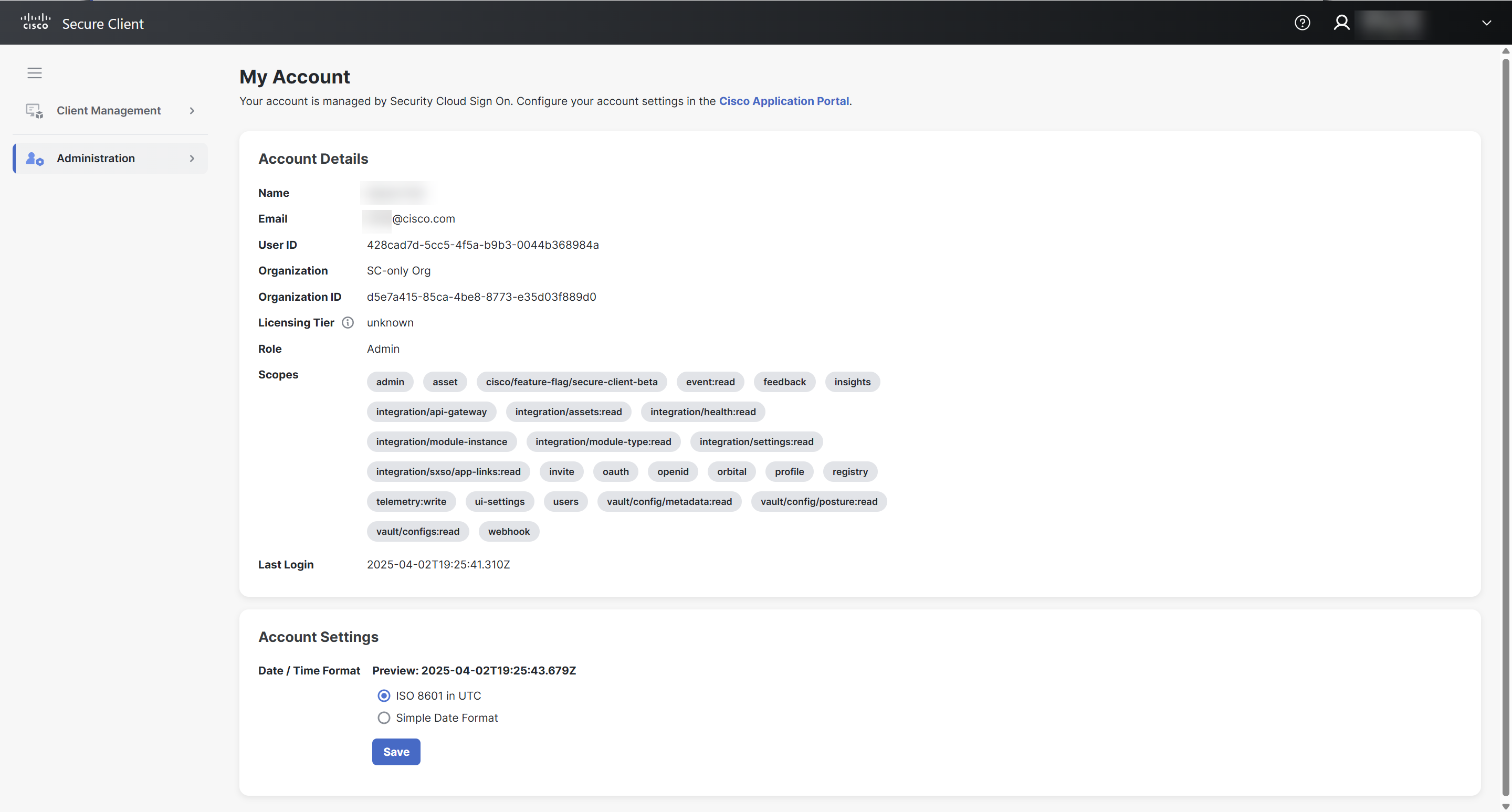
 My Account
Use the My Account menu to view your Secure Client Cloud Management account information and format the date and time used throughout the Secure Client Cloud Management UI.
See My Account for more information.
API Clients
Once configured, API clients allow you to integrate and automate Secure Client Cloud Management by calling the collection of APIs it is built upon. For programs or tools that are API clients, you must create an API client in Secure Client Cloud Management so it can be assigned privileges specific to its task.
Use the API Clients menu to view and manage the API clients that are integrated with Secure Client Cloud Management.
See API Clients for more information.
Users
Use the Users menu to manage the users in your Secure Client Cloud Management organization. From this page, you can enable and disable the Allow Non-Admin Users feature, view the user’s email address and name, and manage their role and status. You can also invite users to join your Secure Client Cloud Management organization and manage invitations.
See Users for more information.